Eject Water from Speaker – Complete Recovery Guide for Wet Phones
Speaker sounds muffled. Bass has disappeared. Calls are barely audible. If your phone just got wet, you have a narrow window to act before water causes damage that outlasts the moisture itself. Use the free ejection tool above, then follow this guide in order.
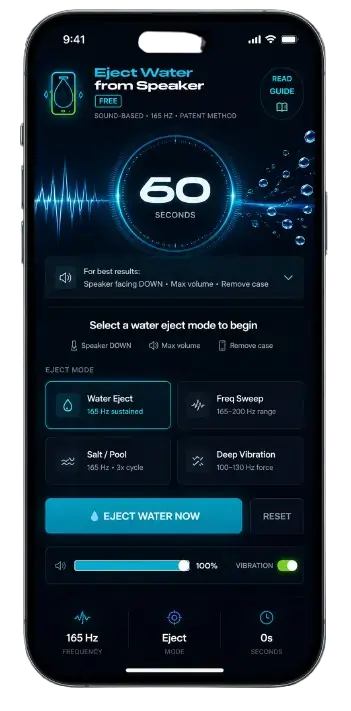
Eject Water from Speaker Now — Free, 60 Seconds
Eject Water from SpeakerFREE
Sound-Based · 165 Hz · Fastest Method
Water Ejected ✓
Moisture cleared · Speaker audio fully restored
Speaker Got Wet? Do These Things First–Eject Water from Speaker
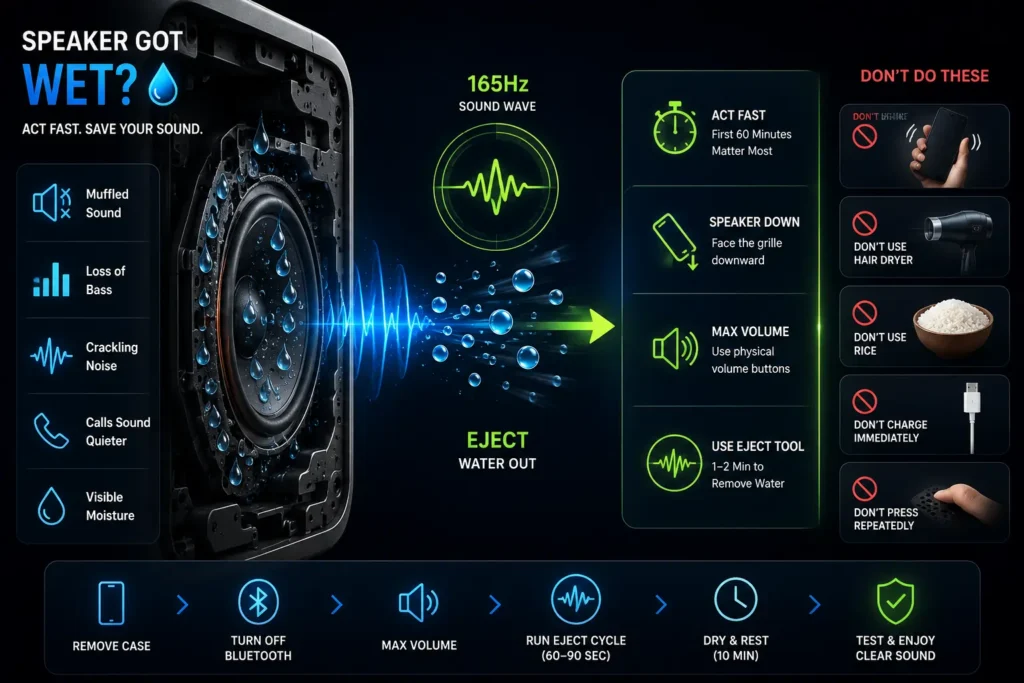
The First 60 Minutes Matter Most
Water on the speaker diaphragm physically restricts membrane movement — that is the muffled sound you are hearing. That part is completely reversible. What becomes harder to reverse is what happens next: as water evaporates, dissolved minerals deposit directly onto the diaphragm surface and harden. Audio quality can degrade permanently even after all visible moisture is gone.
Act within 60 minutes for freshwater. Within 15–30 minutes for saltwater, sweat, or pool water.
What Not to Do After Water Exposure
- Do not shake the phone — it moves water into areas that were previously dry
- Do not use a hairdryer — direct heat permanently warps the speaker diaphragm
- Do not put it in rice — rice absorbs ambient humidity, not water inside the speaker chamber
- Do not charge immediately — water near the charging port creates short-circuit risk
- Do not press the speaker repeatedly — vibrating a water-loaded membrane pushes moisture deeper
Signs Water Is Actually Inside the Speaker
- Audio was clear before exposure and degraded immediately after
- Bass specifically has dropped or disappeared
- Slight crackling or bubbling quality at mid-to-high frequencies
- Calls are quieter than normal on the earpiece speaker
- Visible moisture at the grille when viewed under light
How to Eject Water from Your Speaker
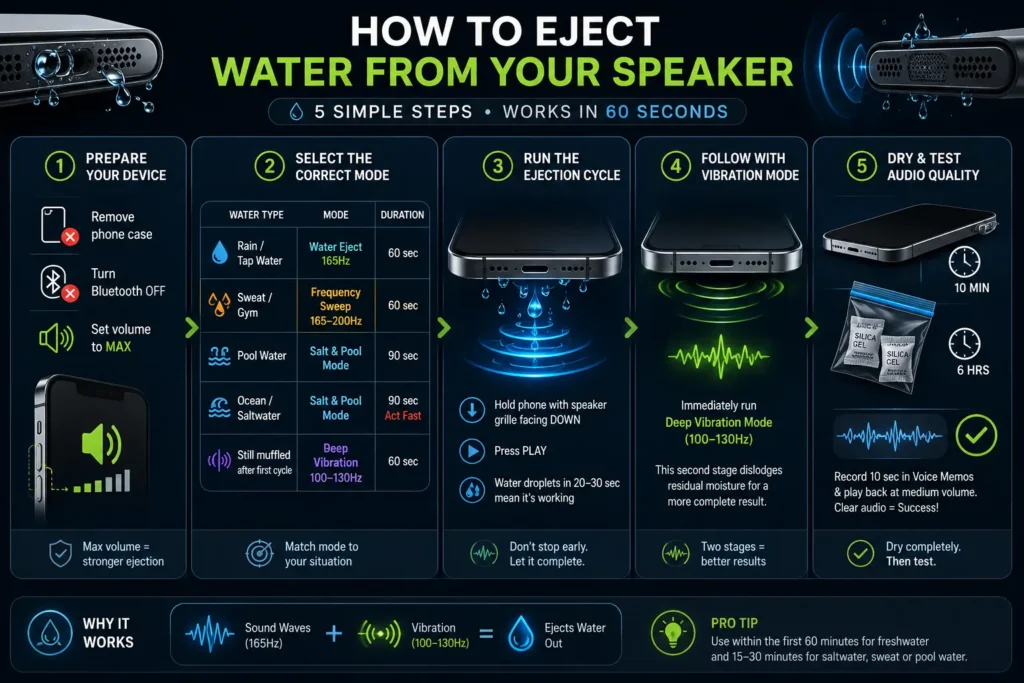
Step 1 – Prepare Your Device
Remove your phone case completely — cases absorb vibration and reduce ejection effectiveness by up to 40 percent. Turn Bluetooth off so audio routes to the device speaker, not headphones. Set volume to maximum using the physical side buttons. Maximum volume is not a preference — acoustic pressure at the diaphragm is directly proportional to volume amplitude. Lower volume means weaker ejection-Eject Water from Speaker Now.
Step 2 – Select the Correct Mode
| Water Type | Mode | Duration |
| Rain / tap water | Water Eject — 165Hz | 60 sec |
| Sweat / gym | Frequency Sweep — 165–200Hz | 60 sec |
| Pool water | Salt & Pool Mode | 90 sec |
| Ocean / saltwater | Salt & Pool Mode | 90 sec — act fast |
| Still muffled after first cycle | Deep Vibration — 100–130Hz | 60 sec |
Step 3 – Run the Ejection Cycle
Hold the phone with the speaker grille facing downward. Gravity and acoustic pressure work together when the grille faces down — moisture moves toward the exit rather than deeper into the housing. Press play. Visible water droplets exiting the mesh in the first 20–30 seconds confirm the cycle is working. Do not stop early — the first half clears surface moisture, the second half targets the deeper chamber.
Step 4 – Follow with Vibration Mode
Immediately after the primary cycle, run Deep Vibration mode. This second stage uses 100–130Hz mechanical force to dislodge residual moisture the acoustic phase loosened but did not fully expel. Running both modes in sequence produces significantly more complete results than either alone.
Step 5 – Dry and Test Audio Quality
Lay the phone flat with the speaker grille facing sideways for 10 minutes. Then place it with silica gel packets in a sealed bag for 6 hours — silica gel handles residual water vapor that acoustic ejection cannot reach. To test recovery, record 10 seconds of speech in Voice Memos and play it back at medium volume. Clear, undistorted playback confirms the speaker has recovered. If still partially muffled, run a second complete cycle.
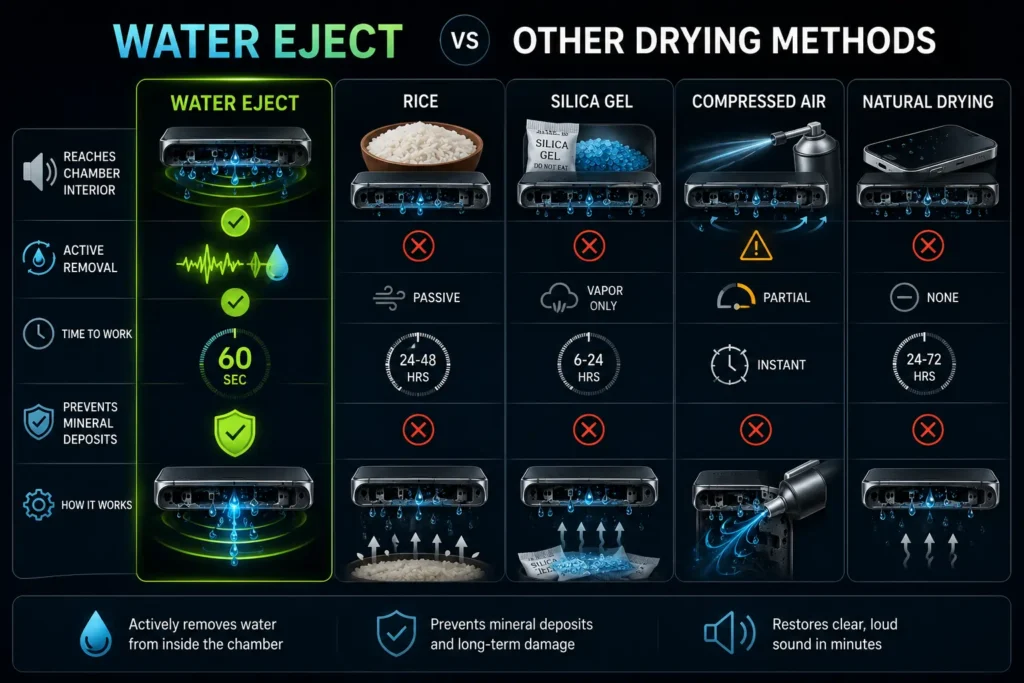
Water Eject vs Other Drying Methods
| Method | Reaches Chamber Interior | Active Removal | Time | Prevents Mineral Deposits |
| Water Eject | Yes | Yes | 60 sec | Yes |
| Rice | No | Passive | 24–48 hrs | No |
| Silica Gel | No | Vapor only | 6–24 hrs | No |
| Compressed Air | Can push deeper | Partial | Instant | No |
| Natural Drying | No | None | 24–72 hrs | No |
Rice and silica gel are passive — they reduce ambient humidity around the phone, not water inside the speaker chamber. Compressed air creates inward pressure first, risking pushing surface droplets deeper through the mesh. Natural drying allows the full mineral deposit cycle to complete. Acoustic ejection is the only method that actively removes water from inside the chamber before evaporation begins.
When to Seek Professional Repair
The tool-Eject Water from Speaker resolves the majority of water-related speaker problems. Seek professional help when:
- Crackling gets louder as volume increases — not quieter
- Zero audio output after two complete ejection cycles at maximum volume
- The phone was submerged in saltwater for longer than 30 minutes
- Visible corrosion appears at the charging port or speaker grille edge
These symptoms point to physical diaphragm damage or corroded internal components — conditions that acoustic ejection cannot reverse. For everything else, run the ejection cycle within the first hour and follow with silica gel overnight.
Frequently Asked Questions
Restore Your Speaker Before Damage Starts.
Water damage to phone speakers is almost entirely a timing problem. The ejection mechanism works best on liquid water before evaporation converts it to mineral deposits on the diaphragm surface. The tool is free, the process takes 60 seconds, and acting immediately after water contact is the single most effective thing you can do for your speaker’s long-term audio quality.
For the technical explanation of how the 165Hz ejection frequency works, visit the Water Eject system page.
Water adheres to speaker membranes through surface tension —
the molecular cohesion force that causes liquids to cling
to solid surfaces, as explained by MIT OpenCourseWare.